Dec 03, 2025
Common Questions About Contour Next Test Strips & Meters
Common Questions About Contour Next Test Strips & Meters: Your Complete Guide to Usage, Accuracy, and Troubleshooting

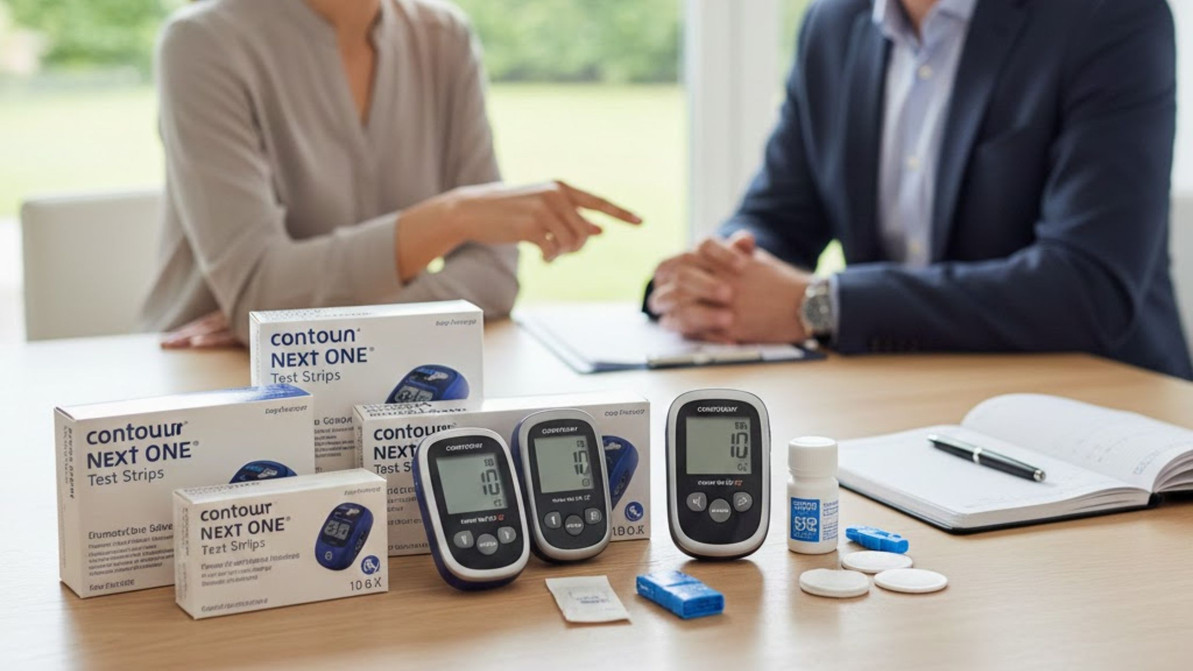
Contour Next test strips and meters are a family of blood glucose monitoring tools from Ascensia Diabetes Care designed to deliver fast capillary glucose readings with technologies that reduce user error and strip waste. This guide explains what the strips and meters are, how Second-Chance sampling and No Coding work, and why those features matter for everyday diabetes management. Readers will learn step-by-step how to use strips and meters, what affects accuracy, which strips pair with common Contour Next meters, how to set up and use meters effectively, and practical troubleshooting for common error codes. The article also covers where to buy Contour Next products in Australia and how the National Diabetes Services Scheme (NDSS) subsidy can apply, with pointers to trusted retailers such as SuperPharmacyPlus for purchasing and NDSS guidance. Throughout, we include concise tables, numbered how-to lists, and actionable maintenance tips so you can test with confidence and interpret results safely.
What Are Contour Next Test Strips and How Do You Use Them?
What Are Contour Next Test Strips and How Do You Use Them?
Contour Next test strips are single-use electrochemical strips that detect glucose in a capillary blood sample and communicate with Contour Next meters to produce a quantitative blood glucose result, enabling timely diabetes self-management. The strips use reagent chemistry and microfluidic channels that draw a precise volume of blood; their design combined with meter firmware reduces measurement variability and supports features like Second-Chance sampling and No Coding. Understanding proper handling and application of the blood sample improves result reliability and extends strip usability. Below we explain the key features that make these strips reliable and then give a step-by-step testing workflow so you can perform accurate tests with minimal waste.
What features make Contour Next test strips reliable and accurate?
What features make Contour Next test strips reliable and accurate?
Contour Next strips incorporate technologies intended to reduce common user errors and improve repeatability by controlling sample volume and reagent interaction, yielding clinically relevant results for daily monitoring. Second-Chance sampling allows a brief re-application of blood if the first sample is insufficient, which reduces wastage and helps people avoid retesting with a fresh strip; No Coding removes manual meter calibration steps, eliminating coding errors that could skew results. smartLIGHT feedback on compatible meters gives immediate colour cues about glucose ranges to support quick interpretation. These combined mechanisms mean the device chain—strip plus meter—focuses on delivering consistent outcomes, particularly when users follow storage and sampling guidance. Understanding these features leads naturally into the practical steps for using the strips properly.
How do you properly use Contour Next test strips for blood glucose testing?
How do you properly use Contour Next test strips for blood glucose testing?
Performing an accurate capillary glucose test requires a standard sequence: prepare, collect, apply, and read; each step reduces variability and supports safe decision-making based on the result. First, wash and dry your hands to remove substances that alter glucose concentration, then prepare the meter and lancing device and check that the strip vial is sealed and within expiry; insert a strip to switch the meter to testing mode. Next, lance the side of a fingertip, gently squeeze if needed to produce a free drop of blood, and touch the strip’s sample zone until the meter confirms adequate volume—Second-Chance sampling can save the strip if the first contact fails. After the meter displays a result, record the value and follow the smartLIGHT or app guidance on whether the reading is in range or needs follow up. Proper disposal of used strips and lancets and checking vial integrity before use are essential safety steps before repeating tests.
How Accurate Are Contour Next Test Strips and What Affects Their Performance?

Contour Next test strips are designed to meet recognized accuracy standards and perform consistently when handled and stored correctly, but several environmental and user factors will influence the final reading. ISO 15197 specifies accuracy expectations for self-monitoring systems, and Contour Next products are created to meet those clinical benchmarks so that most patient results fall within accepted limits; meeting standards supports safe self-management decisions such as insulin dosing. Factors that affect performance include storage temperature, humidity, expiry date, contamination, hematocrit variation, altitude, and sample volume; controlling these reduces the likelihood of aberrant readings. Below is a concise EAV table summarising standards and common influencing factors followed by practical storage and handling guidance to keep performance within manufacturer expectations.
What accuracy standards do Contour Next test strips meet?
What accuracy standards do Contour Next test strips meet?
Contour Next products are produced to align with international SMBG accuracy expectations so that users can rely on readings for daily decision-making, with the manufacturer testing strips and meters to meet established criteria. ISO 15197:2013 requires that at least 95% of the results fall within ±15 mg/dL of the reference measurement at glucose concentrations below 100 mg/dL, and within ±15% at glucose concentrations above 100 mg/dL. By conforming to that standard, Contour Next aims to reduce clinically significant discrepancies that would affect insulin dosing and therapy decisions. For patients, the clinical relevance is straightforward: consistent, standard-compliant readings allow safer adjustments to medication and reduce the need for confirmatory laboratory tests except when clinically advised. Recognising this standard helps users evaluate meter performance and decide when to contact healthcare professionals for verification.
How do storage and expiry dates impact Contour Next test strip accuracy?
How do storage and expiry dates impact Contour Next test strip accuracy?
Storage and expiry directly affect the reagent chemistry on each strip and the microfluidic pathway that draws blood, which in turn influences the electrochemical signal the meter interprets as a glucose value. Strips stored outside the recommended temperature (typically 4°C to 30°C) and humidity range, exposed to sunlight, or left in open vials can absorb moisture or degrade, increasing variability and the chance of error codes or biased results. To minimise issues, keep vials sealed until use, avoid extreme temperatures, and never use strips past expiry; always inspect the vial cap and strip surface for discoloration or moisture before testing. These handling practices reduce measurement drift and support the meter’s ability to deliver reliable readings for daily glucose management.
Which Test Strips Are Compatible With Contour Next Meters?
Which Test Strips Are Compatible With Contour Next Meters?
Contour Next meters are designed to work with Contour Next-branded strips; using the manufacturer-specified strips ensures the meter’s algorithms and the strip chemistry are matched for accurate readings. In general, Contour Next meters accept corresponding Contour Next strip families (for example, models labelled as Contour Next One, Contour Next Link, or similar families) and the packaging will indicate compatible meter models and GTINs for confirmation. Cross-brand or older strip types may differ in reagent formulation and electrical interface, which can trigger error codes or inaccurate results; always verify compatibility before purchase. Below is a compact compatibility matrix to help you identify common pairings and a short note on where to check SuperPharmacyPlus product listings for SKU confirmation.
What Contour Next test strips work with different Contour Next meter models?
What Contour Next test strips work with different Contour Next meter models?
Most Contour Next meter models are paired to specific Contour Next strip families; meter packaging and strip vials indicate compatible models and GTINs so users can confirm a match before buying. For example, entry and consumer models in the Contour Next One family accept the corresponding One family strips, while connectivity-focused models in the Link family use Link-designated strips; firmware and electrical interface differences account for these pairings. Always check the strip vial label and meter user manual or product listing for exact SKU compatibility to avoid errors. Confirming compatibility at purchase reduces the risk of buying unsuitable strips that the meter may reject or misinterpret.
Can Contour Plus or other brand strips be used with Contour Next meters?
Can Contour Plus or other brand strips be used with Contour Next meters?
Unfortunately no, they will not work. Manufacturers advise using only recommended strips for safety and warranty reasons, and users should prioritise manufacturer-specified consumables for clinical reliability. If compatibility is uncertain, consult the meter packaging, manufacturer guidance, or authorised retailers for confirmation.
How Do You Set Up and Use Contour Next Meters Effectively?
How Do You Set Up and Use Contour Next Meters Effectively?
Setting up a Contour Next meter correctly ensures accurate time-stamped results and correct record keeping, and it prepares the meter to accept strips and provide smartLIGHT feedback or app connectivity where supported. Initial setup typically includes inserting or verifying the battery, setting date and time, and performing a first test with a new strip following meter prompts; these steps let the meter store readings and integrate with diabetes logs or apps. The testing workflow—preparing the site, lancing, applying blood to the strip, and interpreting results—should be executed with consistent technique to reduce variability. Below are numbered setup steps and then a focused explanation of how smartLIGHT colours convey actionable information.
Start the setup by unboxing and completing simple configuration steps so the meter is ready for its first test and record-keeping.
- Unpack and inspect the meter: Verify seals and included accessories are present.
- Insert battery and set date/time: Accurate timestamps are essential for trend analysis.
- Load a fresh strip: Insert the strip when the meter prompts, ensuring the strip is compatible.
- Perform a control or first test: Optionally use a control solution if provided, then complete a first fingerstick per the meter prompts.
What are the steps to set up a Contour Next blood glucose meter?
What are the steps to set up a Contour Next blood glucose meter?
Initial setup follows a clear sequence to ensure that the meter records accurate timestamps and is ready to accept strip samples for testing; this reduces administrative errors and supports effective glucose logging. After unpacking, install the battery if required, set the correct date and time using the meter controls so results are accurately recorded, and check for firmware or manual instructions that indicate initial calibration is not required thanks to No Coding. Insert a test strip when prompted and perform a first test using clean hands and a properly prepared lancet site; if you have control solution, run an initial control check to verify the meter and strip response. Completing these steps establishes a baseline and ensures the meter’s features, like smartLIGHT and data logging, function as intended.
How do you interpret smartLIGHT results on Contour Next meters?
How do you interpret smartLIGHT results on Contour Next meters?
smartLIGHT provides immediate, colour-coded feedback that links numeric glucose values to in-range, above-range, or below-range categories so users can quickly assess whether follow-up action or extra attention is needed. Typically, a green indicator signals an in-range result, amber indicates a value that may require caution or retesting, and red points to a low or high reading that could need immediate action or consultation with a healthcare professional; check the meter manual for precise thresholds. Use smartLIGHT as a triage tool: green supports routine management, amber prompts repeat testing or review of recent events, and red suggests immediate verification and, if needed, corrective measures. Understanding smartLIGHT helps users translate single readings into practical next steps while maintaining context from trends and logs.
What Are Common Contour Next Meter Error Codes and How Can You Troubleshoot Them?
Contour Next meters may display concise error codes when the meter detects conditions that invalidate a reading or require user intervention; quick mitigation steps often resolve transient issues and restore normal testing. Common codes include insufficient sample alerts, strip detection errors, or environmental warnings; each code has a likely cause and an immediate corrective action such as reapplying blood, checking strip orientation, or moving the meter to a suitable temperature. The table below lists common codes with meanings and quick fixes, followed by a stepwise checklist for addressing persistent inaccurate readings or calibration concerns. If troubleshooting fails, contact manufacturer support or your retailer for further assistance or replacement guidance.
What do common error codes like E1, E4, and E6 mean on Contour Next meters?
What do common error codes like E1, E4, and E6 mean on Contour Next meters?
Error codes indicate the meter detected a problem that prevents a valid reading; E1 usually signals insufficient blood volume while E4 can indicate a strip recognition issue and E6 commonly relates to environmental conditions affecting the chemistry. For E1, the immediate remedy is to ensure a full drop of blood, use the Second-Chance option if presented, or use a fresh strip if the first is compromised. For E4, check that you are using the correct Contour Next strip family and that it is fully inserted; for E6, allow the meter and strips to return to recommended room temperature before retesting. These step-specific fixes resolve many common scenarios and reduce unnecessary repeat tests.
How can you fix inaccurate readings and calibrate your Contour Next meter?
How can you fix inaccurate readings and calibrate your Contour Next meter?
When readings seem inconsistent, follow a systematic checklist: verify strip expiry and vial integrity, wash and dry hands to avoid contamination, retest with a new strip using proper sample technique, and run a control solution check if available to validate meter performance. If repeat tests and control checks still show discrepancies, confirm the meter is within its operating temperature range and that battery voltage is adequate, then consult the meter manual for advanced troubleshooting steps or manufacturer recommendations. Persistent inaccuracies that control solution or retesting do not fix may require manufacturer support or replacement through your retailer; SuperPharmacyPlus can assist customers with product support and replacement options for purchased devices where applicable. Taking these verification steps helps determine whether the issue lies with technique, consumables, environment, or device hardware.
Where Can You Buy Contour Next Test Strips and Meters in Australia and How Does NDSS Subsidy Work?
Where Can You Buy Contour Next Test Strips and Meters in Australia and How Does NDSS Subsidy Work?
Contour Next strips and meters are widely available through authorised channels in Australia, including online pharmacies, brick-and-mortar chemists, and NDSS outlets; ensuring authenticity and correct SKU selection protects accuracy and eligibility for subsidies. The National Diabetes Services Scheme offers subsidised consumables to eligible Australians, and Contour Next strips are often included in NDSS listings depending on product and subsidy agreements; check NDSS guidance for current eligibility rules and dispensing processes. SuperPharmacyPlus is an Australian online pharmacy and mobility store that stocks Contour Next meters and NDSS-subsidised strip options and can be a convenient vendor for users seeking authentic products and shopping support. Below we present a simple purchase comparison table and practical buying tips to help you choose the right channel.
Where to purchase Contour Next products online and in-store in Australia?
Where to purchase Contour Next products online and in-store in Australia?
Buy Contour Next products from authorised pharmacies, major chemists, NDSS outlets, and reputable online retailers to ensure authenticity, valid expiry dates, and correct SKU compatibility; always verify seller credentials and product packaging details. Online purchases offer convenience, shipping options, and often product information pages that list compatible meter models and SKU codes, while in-store purchases allow you to inspect vials and ask pharmacy staff questions. When buying online, check seller return policies and authenticity guarantees; when buying in store, verify the vial seal and expiry. SuperPharmacyPlus is one such Australian online pharmacy and mobility store that offers Contour Next strips and meters and can assist with product availability inquiries and selection guidance.
How does the National Diabetes Services Scheme subsidy apply to Contour Next test strips?
How does the National Diabetes Services Scheme subsidy apply to Contour Next test strips?
The NDSS provides subsidised diabetes consumables to eligible Australians and maintains lists of subsidised products and participating providers; eligibility typically requires registration and documentation of diabetes treatment needs. For Contour Next strips, NDSS subsidy applicability depends on whether specific SKUs are listed for subsidy and whether the user meets the scheme’s eligibility criteria; users should consult NDSS resources or their healthcare provider to confirm. The practical steps are to register with NDSS if not already enrolled, verify eligible products and participating pharmacies, and present necessary documentation when ordering subsidised strips. For assistance finding subsidised options and checking SKU eligibility, authorised retailers and pharmacies can provide guidance.
This article has covered the practical use, accuracy considerations, compatibility checks, setup steps, error-code troubleshooting, and purchasing pathways for Contour Next test strips and meters. For hands-on support with product selection, NDSS eligibility checks, or replacement guidance, contact authorised retailers such as SuperPharmacyPlus for assistance with product availability and customer support related to Contour Next devices and consumables.
Frequently Asked Questions
Frequently Asked Questions
What should I do if my Contour Next meter displays an error code?
What should I do if my Contour Next meter displays an error code?
If your Contour Next meter shows an error code, first identify the specific code and its meaning. Common codes like E1 (insufficient sample) or E4 (strip not recognized) often have straightforward fixes, such as reapplying blood or checking strip compatibility. Refer to the user manual for detailed troubleshooting steps. If the error persists after trying the recommended solutions, consider contacting customer support or your retailer for further assistance or potential replacement options.
How can I ensure the accuracy of my blood glucose readings?
How can I ensure the accuracy of my blood glucose readings?
To ensure accurate blood glucose readings, follow proper testing protocols: wash and dry your hands, use fresh test strips, and ensure they are within their expiry date. Store strips in a cool, dry place and avoid exposure to extreme temperatures or humidity. Regularly check the meter's calibration and perform control tests if available. Additionally, maintain a consistent testing technique to minimize variability in results, which can help you make informed decisions about your diabetes management.
What are the benefits of using Second-Chance sampling with Contour Next strips?
What are the benefits of using Second-Chance sampling with Contour Next strips?
Second-Chance sampling allows users to reapply blood to the same test strip if the initial sample is insufficient. This feature reduces waste and the need for a new strip, making testing more economical and efficient. It is particularly beneficial for those who may struggle to produce a sufficient blood drop. By minimizing the number of strips used, Second-Chance sampling can help users manage their diabetes more effectively while also reducing costs associated with testing supplies.
Can I use expired Contour Next test strips?
Can I use expired Contour Next test strips?
Using expired Contour Next test strips is not recommended, as the chemical reagents may degrade over time, leading to inaccurate readings. Expired strips can compromise the reliability of your blood glucose monitoring, which is crucial for effective diabetes management. The meter will prevent expired strips from being used. Always check the expiry date on the vial before use, and dispose of any expired strips properly. For optimal accuracy, use strips that are within their expiration date and stored according to the manufacturer's guidelines.
How do I register for the National Diabetes Services Scheme (NDSS)?
How do I register for the National Diabetes Services Scheme (NDSS)?
To register for the National Diabetes Services Scheme (NDSS), you need to complete a registration form, which can typically be obtained from your healthcare provider or the NDSS website. You will need to provide documentation of your diabetes diagnosis and treatment plan. Once registered, you can access subsidized diabetes products, including Contour Next test strips, at participating pharmacies. It’s advisable to check the NDSS website for specific eligibility criteria and the registration process to ensure you receive the benefits.
Conclusion
Utilizing Contour Next test strips and meters empowers individuals to manage their diabetes effectively with reliable, accurate readings. The innovative features, such as Second-Chance sampling and No Coding, enhance usability and minimize waste, ensuring a smoother testing experience. By understanding how to use these tools properly, users can make informed decisions about their health. For more information on purchasing options and NDSS eligibility, visit SuperPharmacyPlus today.
Dec 03, 2025
Recent Posts
-
Sep 14, 2026
What do the added amino acids and soluble fibre bring to BJE100?
BJE100 is BergaMet's new patented citrus bergamot extract, developed over the past two … -
 Sep 12, 2026
Why does Eagle Tresos Natal contain both 5-MTHF and folinic acid?
Eagle Tresos Natal is a one-a-day multivitamin and mineral formula designed to provide … -
 Sep 10, 2026
How does BJE100 differ from the earlier BPF99 bergamot extract?
BJE100 is BergaMet's new patented citrus bergamot extract, developed over the past two …